


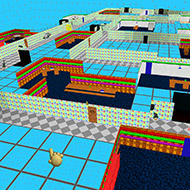
Baldi’s Basics Level Editor
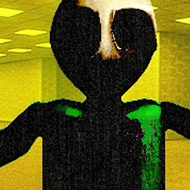
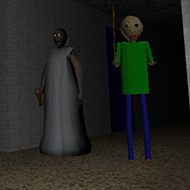
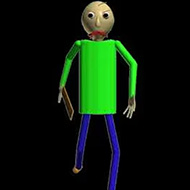
Baldi’s Basics Level Editor looks like a creative tool and plays like an installation tutorial. Getting a custom floor loaded and running inside Baldi’s Basics Plus requires BepInEx, the BB+ Modding API by MissingTextureMan101, and the Level Editor mod itself — three separate prerequisites that each need to be in the correct folder before the game will acknowledge that a custom level exists. Once that setup is complete, the editor itself is a tile-based canvas where you place room types, drop characters into position, set notebook counts, and build a school that plays back entirely within the BB+ engine. The gap between those two sentences represents most of the community discussion that exists around this tool.
The Tile Grid and Room Types in Baldi’s Basics Level Editor
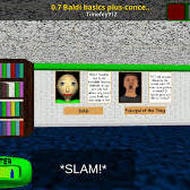
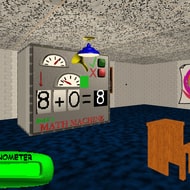
The editor works on a grid. Each cell in the grid represents one tile of the school floor, and you assign each tile a type from a fixed list. Hallway tiles create the connecting corridors. Classroom tiles generate rooms with math machines and chalkboards. Faculty Only tiles create restricted zones that trigger the Principal of the Thing’s enforcement behavior when non-faculty characters enter. Office tiles produce the principal’s room. Closet tiles add the small storage spaces scattered through most procedurally generated schools. Dr. Reflex’s Clinic and Library tiles bring in those specific activity rooms with their associated mechanics. Cafeteria tiles create the lunchroom. Outside tiles handle the exterior field areas available in some BB+ configurations.
The key thing beginners misread about this system is that the tiles define spatial category, not detailed room layout. Placing a Classroom tile creates a room with the classroom’s appearance and logic, but the specifics of what appears inside — how many desks, what math machine configuration — follow BB+’s own generation rules unless you layer additional settings on top. Designers who expect pixel-level control over every object inside a room arrive expecting something closer to a full map editor and find a system that operates at a higher level of abstraction.
Connecting rooms is where the spatial planning begins. Hallway tiles need to link room tiles in ways that form valid paths. Placing a Classroom tile with no hallway connection accessible to Baldi creates an isolated room that characters cannot path into, which sounds useful for trapping Baldi until players discover that notebooks placed in disconnected rooms also become unreachable to the player. Every room that contains a notebook needs at least one traversable path from the spawn point, and that path needs to make sense for both the player and the character AI.
Spawning Characters and Placing Notebooks
Baldi’s Basics Level Editor lets you place spawn points for specific characters. Baldi, the Principal of the Thing, Playtime, Gotta Sweep, First Prize, Arts and Crafters, It’s a Bully, Beans, Cloudy Copter, and Chalkles can all be given starting positions on the floor. The spawn placement affects early-game pressure directly. Placing Baldi close to the notebook cluster makes the first collection frantic. Placing Gotta Sweep in a narrow connecting corridor creates a different kind of chokepoint than placing him in the cafeteria. Players who focus on challenge design quickly find that character spawn positioning is the most powerful tool in the editor for controlling difficulty feel.
Notebooks are placed individually as objects on the grid. The editor tracks how many you have placed, and that count becomes the notebook target for the floor — the number of correct math problems the player must answer before the exit becomes active. Math machines are separate placeable objects from notebooks and serve the classroom activity mechanic rather than the main collection loop. Elevators define the floor’s entry and exit points, and getting their positioning correct relative to the rest of the layout matters because the player spawns from one and must reach the other to complete the floor.
Items can also be placed as floor objects, giving designers control over which consumables are available and roughly where players can find them. A level built around early First Prize encounters benefits from having WD-NoSquee available near the start. A high-notebook-count challenge map where Baldi reaches aggressive speeds quickly becomes more playable if BSODA and Baldi’s Least Favorite Tape are reachable before the third or fourth notebook. Item placement is one of the more underused aspects of the editor in community-shared levels, where most designers focus on room layout and character positioning rather than supply management.
The Save, Load, and Play Workflow
The editor has three primary controls: save, load, and play. Saving writes the current layout to a file called level.bld in the CustomLevels folder inside BB+’s AppData directory at AppData\LocalLow\Basically Games\Baldi’s Basics Plus\CustomLevels. Loading retrieves that file and restores the layout into the editor canvas. Play launches the current layout directly into BB+ as a playable floor without requiring you to exit the editor or restart the game separately.
The play function is the fastest design iteration loop available. You place tiles, hit play, walk around the resulting school for thirty seconds to test whether a corridor connects correctly or whether Baldi’s spawn position creates an immediately unwinnable situation, exit back to the editor, and adjust. Designers who treat the play button as a continuous testing tool rather than a final step produce better levels faster than those who try to plan a complete layout before ever testing it.
Sharing levels means sharing the level.bld file. Because the file is a single small document, it distributes easily across Discord servers, itch.io uploads, and GameBanana posts. Recipients drop the file into the same CustomLevels folder on their own installation, provided they have the same version of the editor mod and the BB+ Dev API. Version mismatches between the editor mod and the API are the most commonly reported reason that shared levels fail to load on recipient machines — a level created with one API version may not parse correctly under a different one.
What Baldi’s Basics Level Editor Cannot Do
The editor does not support custom character behavior. Characters act according to their standard BB+ AI regardless of how they are placed. Baldi chases the player and accelerates on wrong answers. The Principal of the Thing enforces the rule set as written. Playtime stops the player for jump-rope sequences. Designers who want to change how a character behaves — give Baldi a different aggression curve, make Gotta Sweep move faster, limit Playtime to specific zones — are working beyond what the Level Editor mod provides. That kind of modification requires separate scripting using the BB+ Modding API directly rather than the visual editor.
There is also no in-editor preview of character pathfinding. You cannot see how Baldi will navigate your hallway layout before you hit play. Designers discover pathfinding problems — dead-end hallways that confuse the AI, spawn positions that place Baldi inside a room he cannot exit — only through testing. Experienced level designers in the community generally recommend keeping hallway networks simple and well-connected rather than complex, because the character AI navigates straightforward grid-based layouts more predictably than elaborate multi-branch structures.
The Level Editor mod was eventually succeeded by Level Studio in BB+ version 0.12.X, which MissingTextureMan101 released as its replacement with additional capabilities. The original Level Editor remains functional for the BB+ versions it was built against, and a significant body of community levels exists in the .bld format that predates Level Studio. Players who specifically want to play levels shared before the 0.12.X transition still use the original editor’s infrastructure to load them.
Difficulty Design in Custom Floors
The community has developed informal conventions around difficulty in custom Baldi’s Basics Level Editor floors. Notebook density — how many notebooks are placed relative to the floor’s total tile count — is the primary lever. More notebooks mean more wrong-answer events before escape, which means Baldi reaches higher aggression levels. Most well-regarded challenge maps in the community place between eight and fifteen notebooks, with the harder examples exceeding twenty and relying on specific item placement to compensate.
Chokepoint design refers to the practice of building narrow connections between room clusters that force the player to pass through areas where multiple characters are likely to converge. Gotta Sweep moving through a single-hallway connection at the same moment the player needs to cross it creates a natural pressure point. The Principal of the Thing patrolling a Faculty Only tile adjacent to the only exit route adds a different type of friction. Players who have spent time with procedurally generated BB+ floors recognize these patterns and engage with custom maps specifically to find how designers have arranged them.
Flat or low-challenge maps exist in the community too, and they serve a genuine purpose: players learning the base game mechanics use gentle custom floors to practice notebook collection and item use without aggressive Baldi speed. A custom floor with five notebooks, generous item placement, and Baldi spawned far from the starting area lets someone new to the game learn the Principal’s enforcement zones and Playtime’s jump-rope interrupt without dying repeatedly to compounding pressure.
Community Questions About Baldi’s Basics Level Editor
- Why does my custom level not appear when I click Load in the editor? The most common cause is that the level.bld file is not in the correct CustomLevels folder, or the BepInEx plugins are not installed to the right directory. The editor reads from AppData\LocalLow\Basically Games\Baldi’s Basics Plus\CustomLevels specifically — placing the file elsewhere, including the root game folder, produces no result. Confirming that both BepInEx and the BB+ Dev API are fully installed before troubleshooting file paths resolves the majority of load failures.
- Can I add custom characters or items not in the base BB+ roster? Not through the Level Editor mod’s visual interface. The editor’s character placement list is fixed to the characters BB+ natively supports. Adding a character that does not exist in the base game requires writing a separate plugin using the BB+ Modding API, which is a code-level task independent of the editor tool. The level file itself can reference custom content if that content is installed through a compatible plugin, but the editor will not let you place it through its interface.
- Do levels made with the original Level Editor work in Level Studio? Not directly without conversion. Level Studio, which replaced the original editor in BB+ 0.12.X, uses a different file format and structure. Community members have documented partial conversion processes, but there is no official automatic migration tool. Levels built specifically for the original Baldi’s Basics Level Editor infrastructure are best played through that same setup rather than attempted in Level Studio without manual rework.
Baldi’s Basics Level Editor remains the clearest entry point into custom schoolhouse design within the BB+ ecosystem, even after Level Studio superseded it. The tile-based workflow for placing Hallway, Classroom, and Faculty Only rooms alongside character spawn points for Baldi and the Principal of the Thing captures the essential design vocabulary of the base game in a form that does not require writing code. Its limitations — no behavior modification, no pathfinding preview, a prerequisite chain that trips up newcomers — are real, but the community of designers who worked within those constraints produced a body of levels substantial enough that .bld files still circulate actively years after Level Studio’s arrival.